















Walk in to join
Move your avatar into a room and you're in that conversation. Walk out and you've left it. There are no meeting links to switch between.
Move freely. Meet naturally.
Walk between topics, join conversations and meet people the way you would at an event: by going over to say hello. An audio-first space for communities and conferences, made for the conversations between the talks.
 Demo hall · Friday Mingle20 in the hall
You’re in the Hallway.It’s quiet out here. Step into a room to join its conversation.
Clicka room or the floor to walk there
You’re in the Hallway.Move your avatar into a room and you're in that conversation. Walk out and you've left it. There are no meeting links to switch between.
Audio follows your position. People in other rooms stay quiet for you, so several conversations can run side by side. Only the speaker on The Stage and a host speaking over the PA reach the whole hall.
When someone presents, The Stage works like a small auditorium: one speaker, a queue, and raised hands for questions.
Everything happens on one shared map, so moving from a talk to a side chat to a quiz takes a few steps.
Step into the spotlight on The Stage and everyone in the event hears you. If someone is already presenting, stay in the spotlight: you join the speaker queue and take the stage in turn when they step down.
Light a campfire on the map and anyone can walk into the circle. It goes out when whoever lit it puts it out, or when the last person leaves.
Ask someone for a private chat. If they accept, you talk one to one without leaving the event.
Hosts write a quiz for their community. Crates land on the map, and a live leaderboard keeps score.
Shove the other avatars out of the ring. The last one standing wins, and everyone who falls stays to cheer.
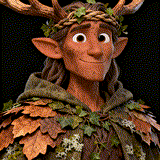
Walk in as a knight, a fox spirit or a jazz musician. Or come as yourself with a photo you upload. Skool members can use their Skool profile picture too.
People sign in to HallMingle, and HallMingle checks they belong before they enter: against their Skool membership, or against the attendee list you keep. Every event stays with your own people.
Tell us about your community, and we contact you personally about a pilot.
Fri, 7:00 PM



 34 going · 46 of 80 seats left
Sat, 6:00 PM · 12 going
Open your host's HallMingle link and sign in. Skool members verify their membership once; event guests need the email their host put on the attendee list.
See upcoming events and reserve your place in the lobby.
Move around the space and drop into conversations.
Sign in to HallMingle. It shows only the communities and events where your membership is verified.
New here? Sign in, then link your Skool profile with one DM and HallMingle finds the communities you belong to. Joining an event? Sign in with the email your host registered.